Designing an AI-powered Interview coach
for RAMPED Careers
transforming passive preparation into an interactive learning experience
00 – Project Introduction
An AI Platform to help you land your dream job
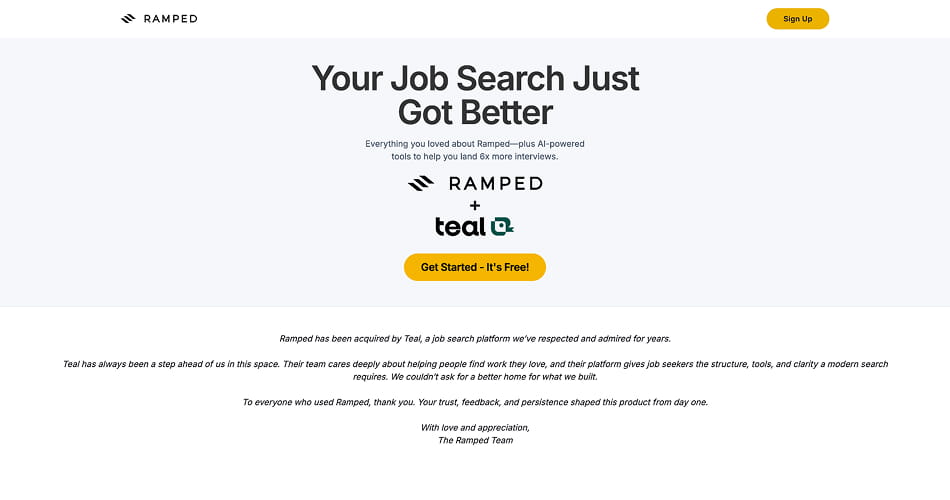
Ramped was a GenAI career platform that helped job seekers create resumes, write cover letters and apply for relevant opportunities. In 2025 was bought and absorbed into TEAL.
I worked on Help Me Get Hired, a feature designed to prepare users for interviews based on a job title and description.
The existing tool generated a preparation script with likely questions, interviewer expectations and recommended topics. While useful, research revealed that users treated it as something they needed to memorise rather than a tool that helped them practise.
01 – The challenge
Useful content did not necessarily create confident candidates
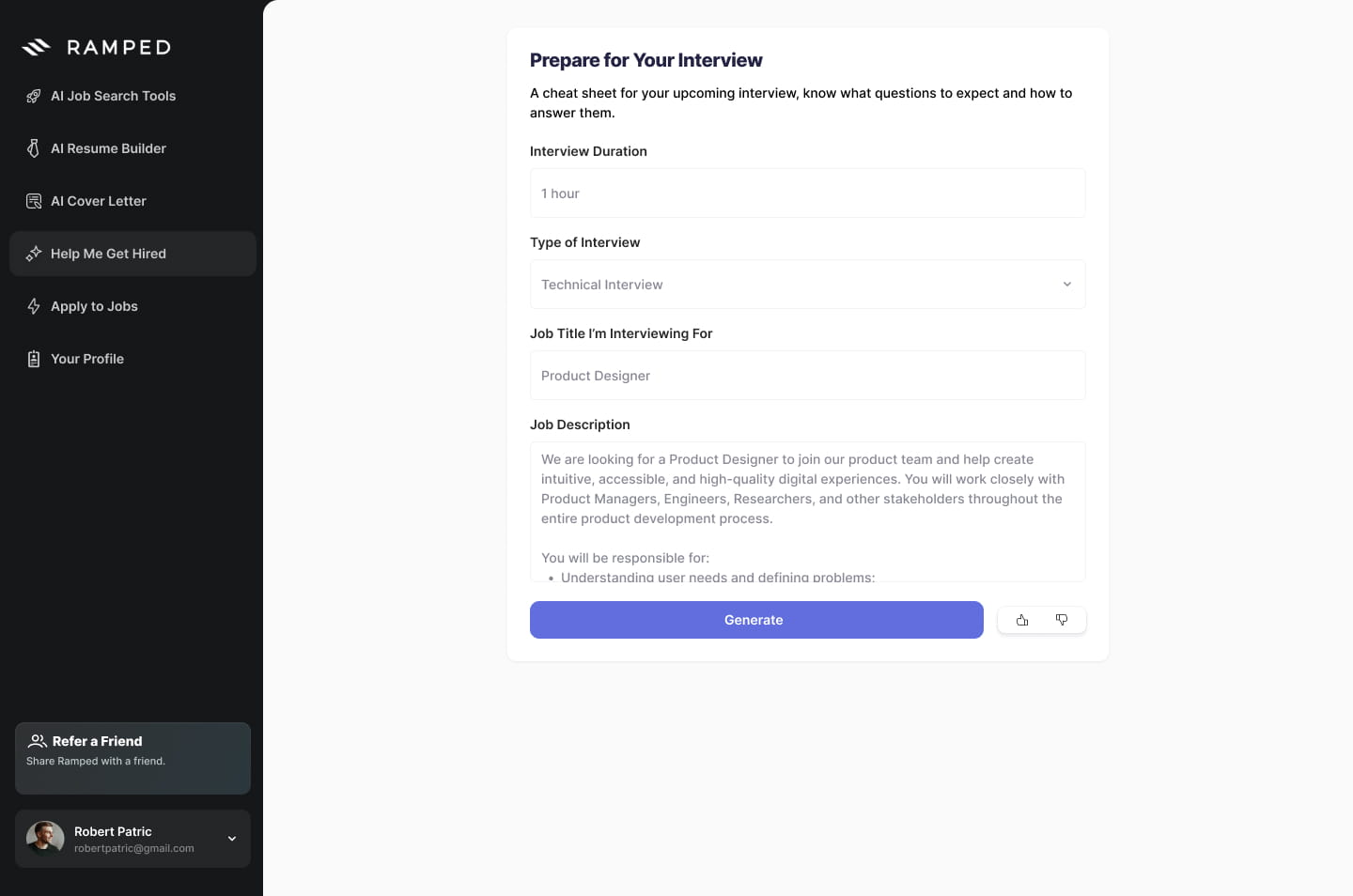
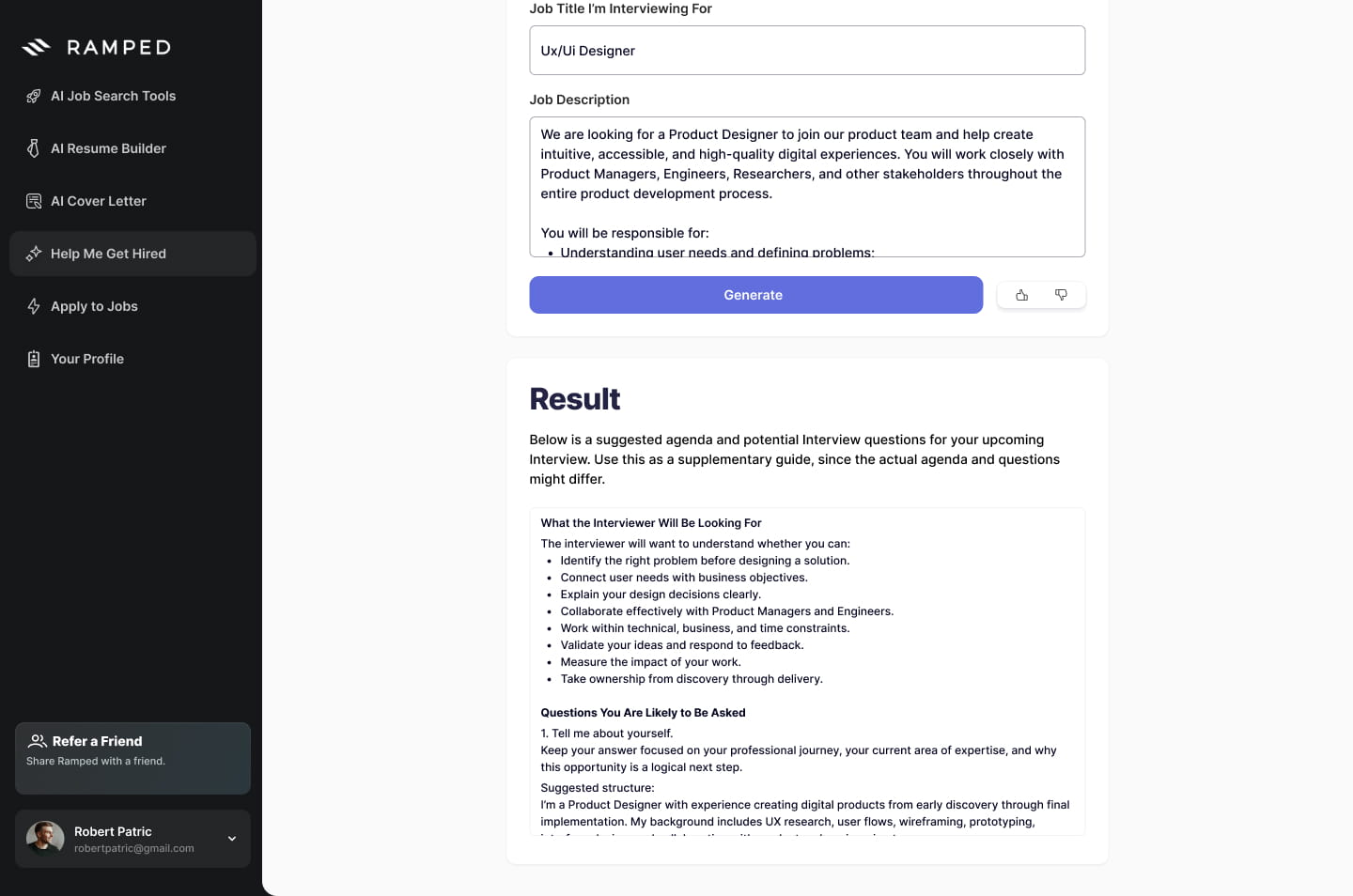
The original journey was simple:

During user interviews, I noticed that candidates were focused on remembering the “right” answers.
The tool explained what they should say, but it did not help them understand how effectively they were communicating it.
CLIENT
RAMPED Careers
DATE
September 2024
SERVICES
SCOPE
User research, product strategy, user flows, interaction design and prototyping
02 – Reframing the problem
How might we turn AI-generated interview advice into an active learning experience?
Users still needed quick access to useful information, but they also needed:
- A safe environment to practise.
- Guidance before answering.
- Personalised feedback.
- Opportunities to retry.
new hipothesys
03 – Solution
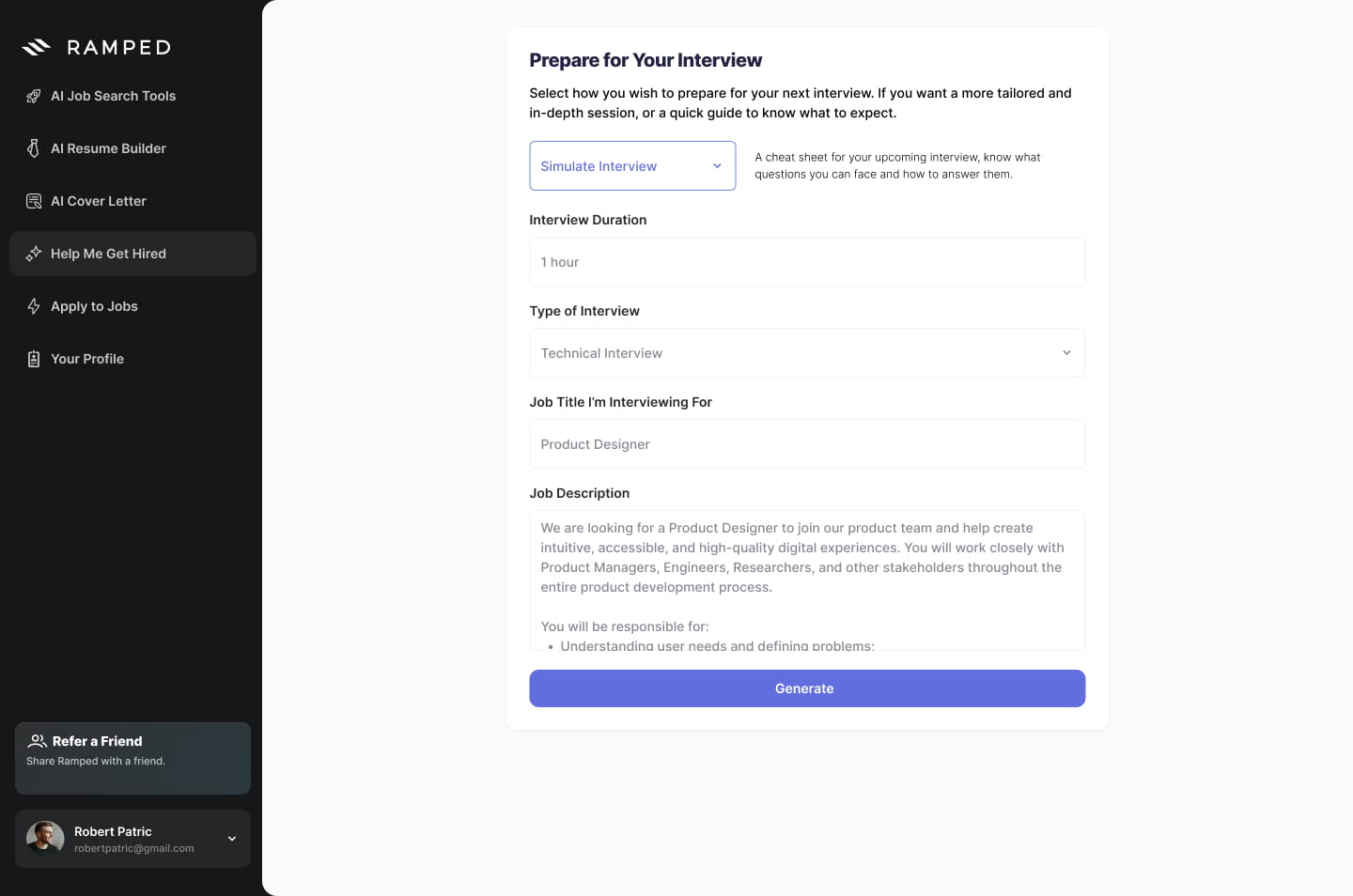
I redesigned the experience around two preparation modes
The goal was not to eliminate the existing preparation script. Some users still needed a fast, low-commitment way to understand what to expect. Instead, I proposed to test two different levels of interaction within the same product experience:
3A – Solution
Interview Simulation
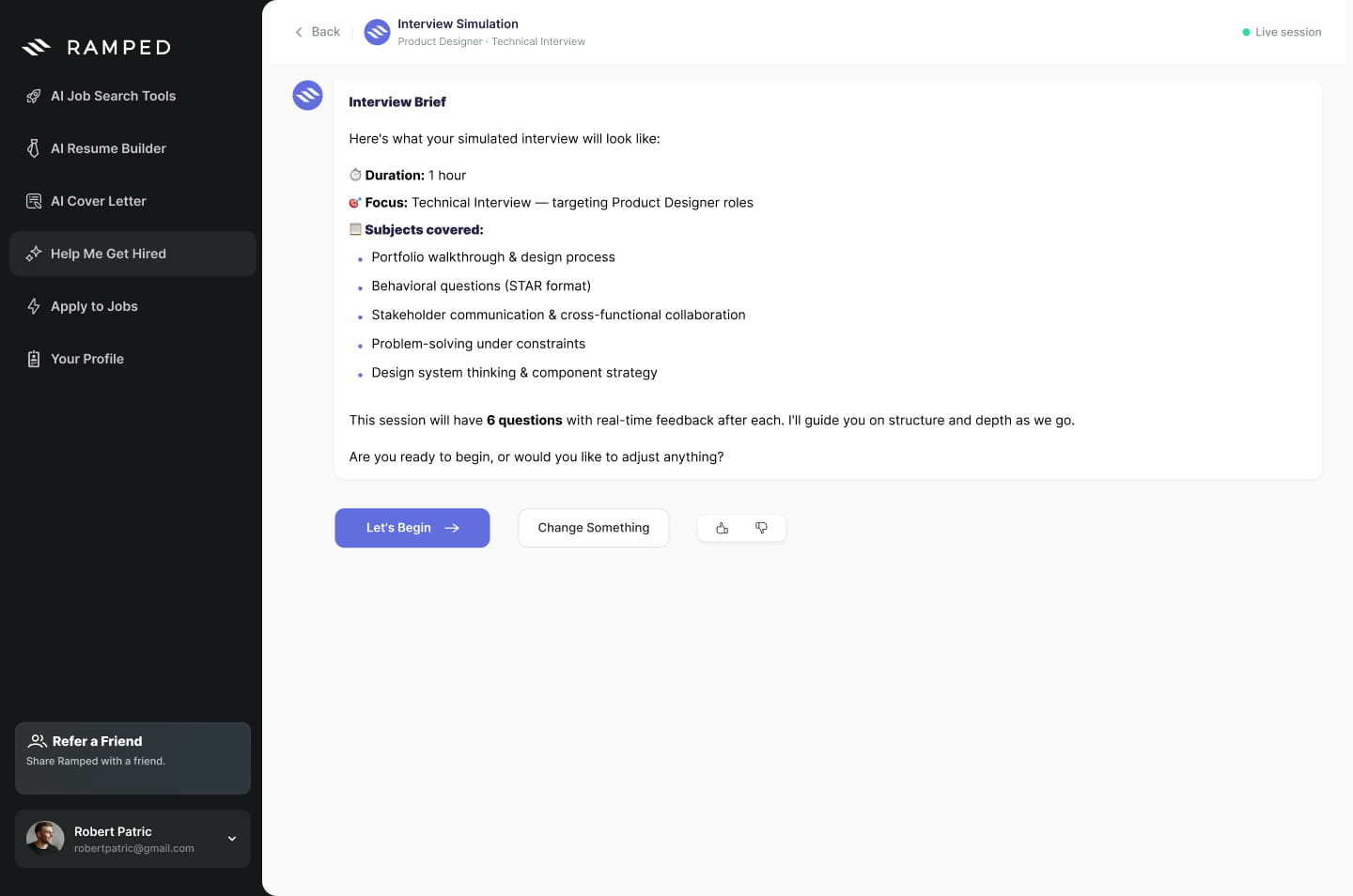
A1. Review the interview plan
Before the session begins, Ramped presents an Interview Brief containing:
- Interview duration.
- Interview type.
- Topics covered.
- Number of questions.
- Feedback expectations.
Users can accept the plan or adjust it using text or voice.
This makes the AI’s approach visible and gives the candidate control before starting.
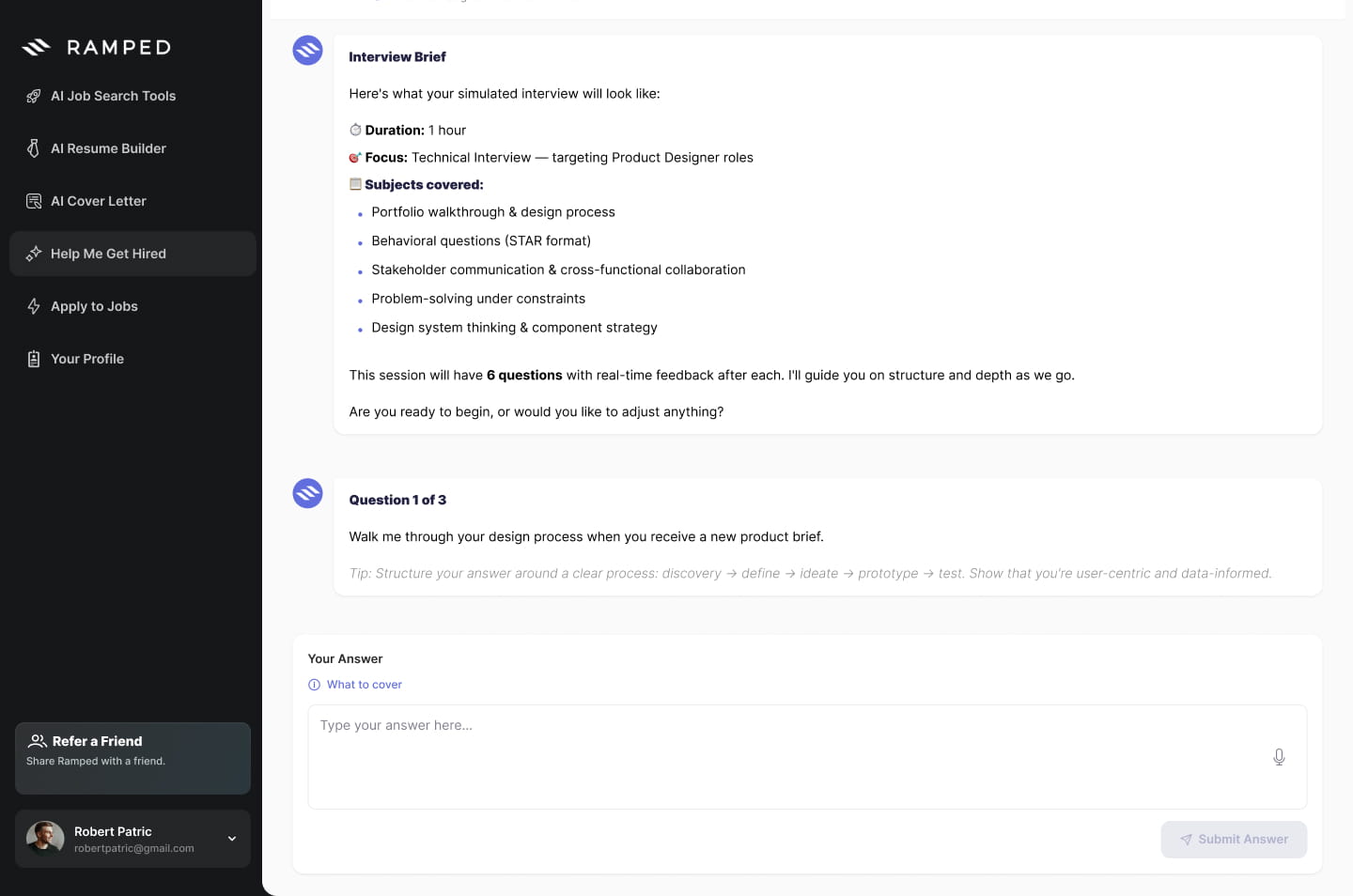
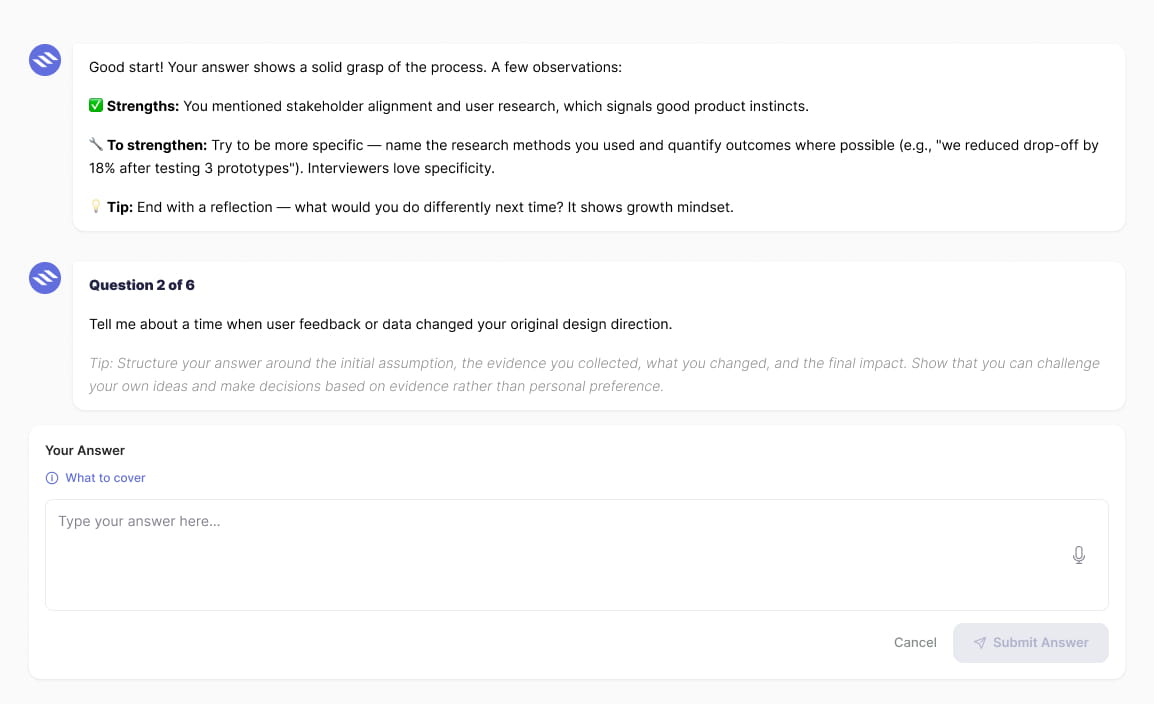
A2. Answer with contextual guidance
- Each question includes a short tip to help the user structure their response.
- More detailed guidance is available through a What to cover element, allowing users to access support without overwhelming the interface.
- Candidates can answer through text or voice, creating an experience closer to a real interview.
A3. Receive actionable feedback
After each answer, Ramped highlights:
- Strengths: What the candidate communicated effectively.
- What to strengthen: Where the answer needs more clarity, evidence or detail.
- Coaching tip: A practical recommendation for the next attempt.
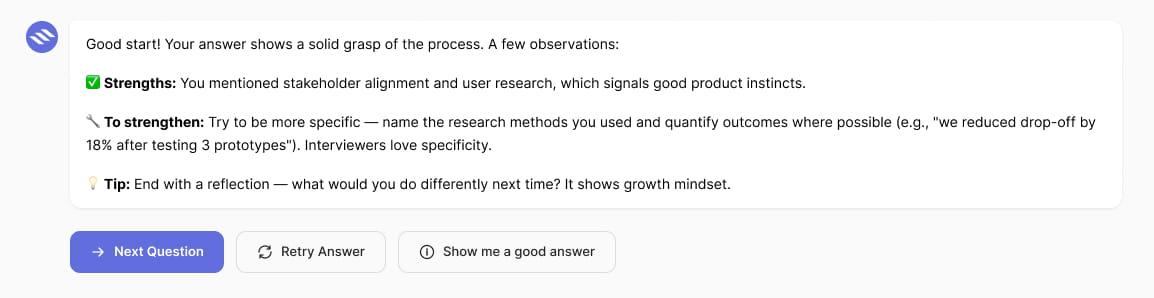
The feedback is immediately connected to three actions:
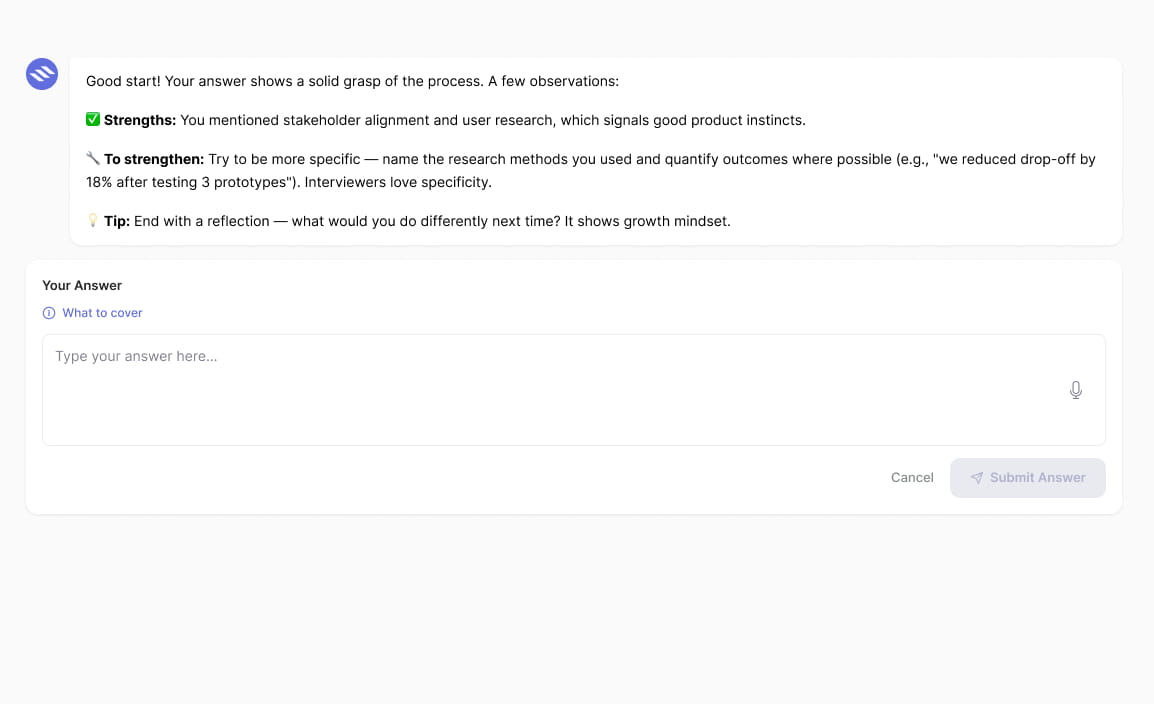
- Retry the answer
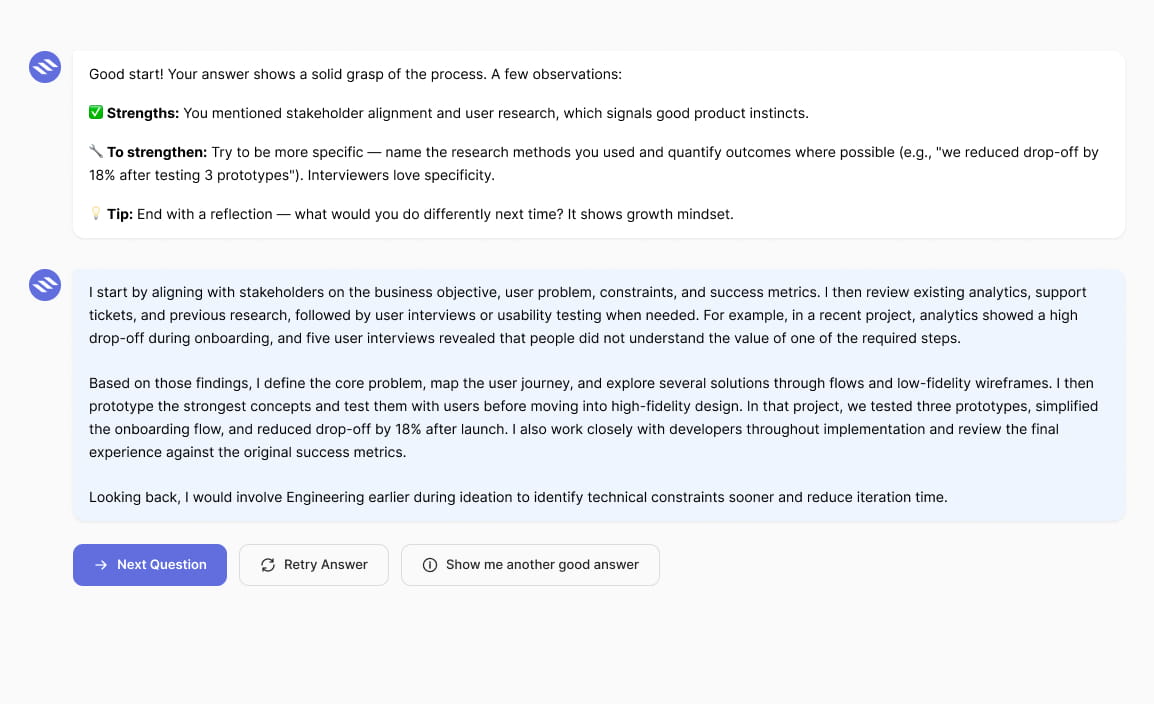
- View a suggested answer
- Continue to the next question
This creates the main learning loop:

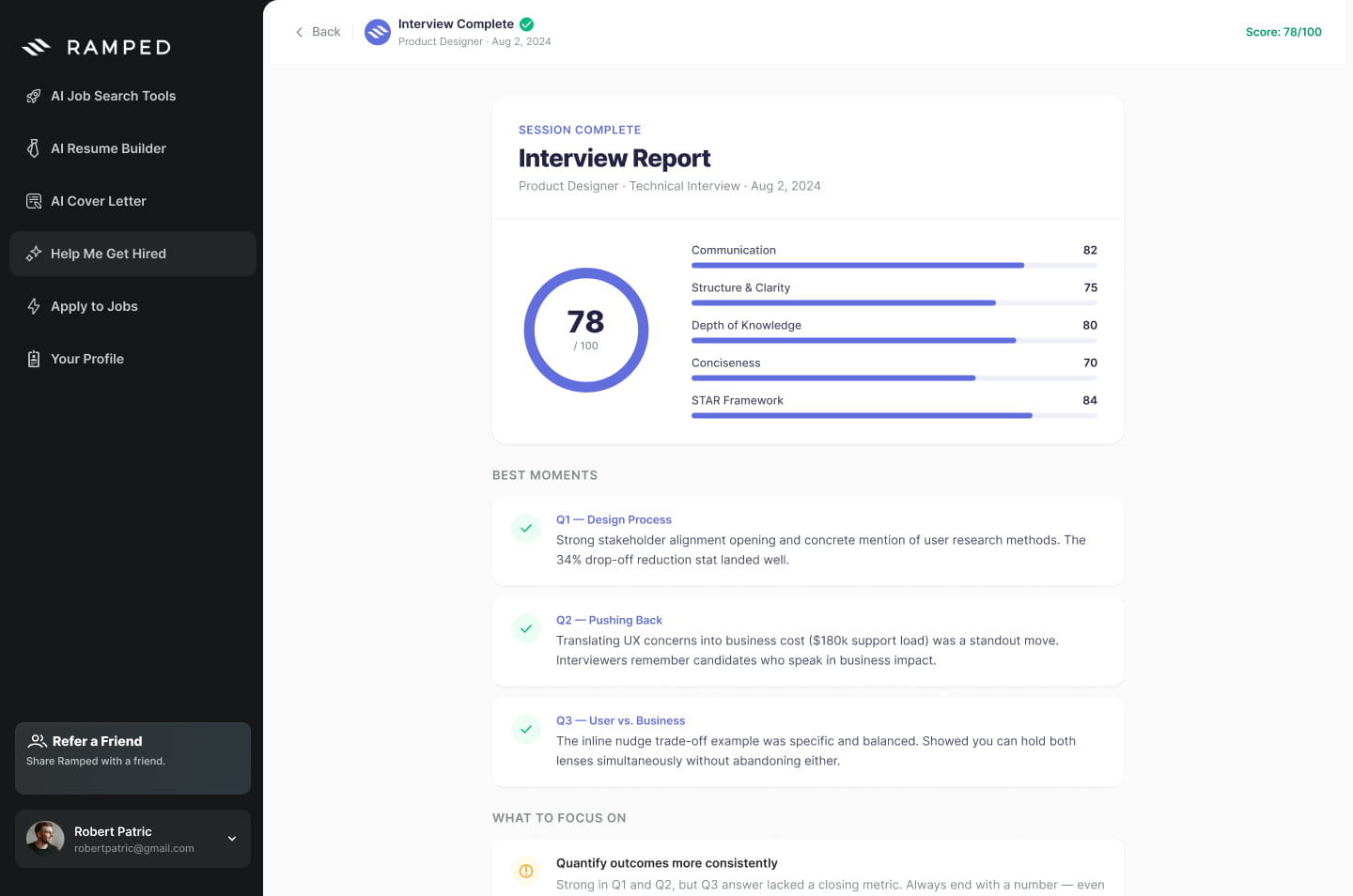
A4. Review the final report
At the end of the simulation, Ramped generates an Interview Report containing:
- An overall performance score.
- Communication and clarity ratings.
- Strongest answers.
- Areas to improve.
- Personalised recommendations.
- The complete interview transcript.
The final report turns individual feedback into a clear overview of the candidate’s performance
3B – Solution
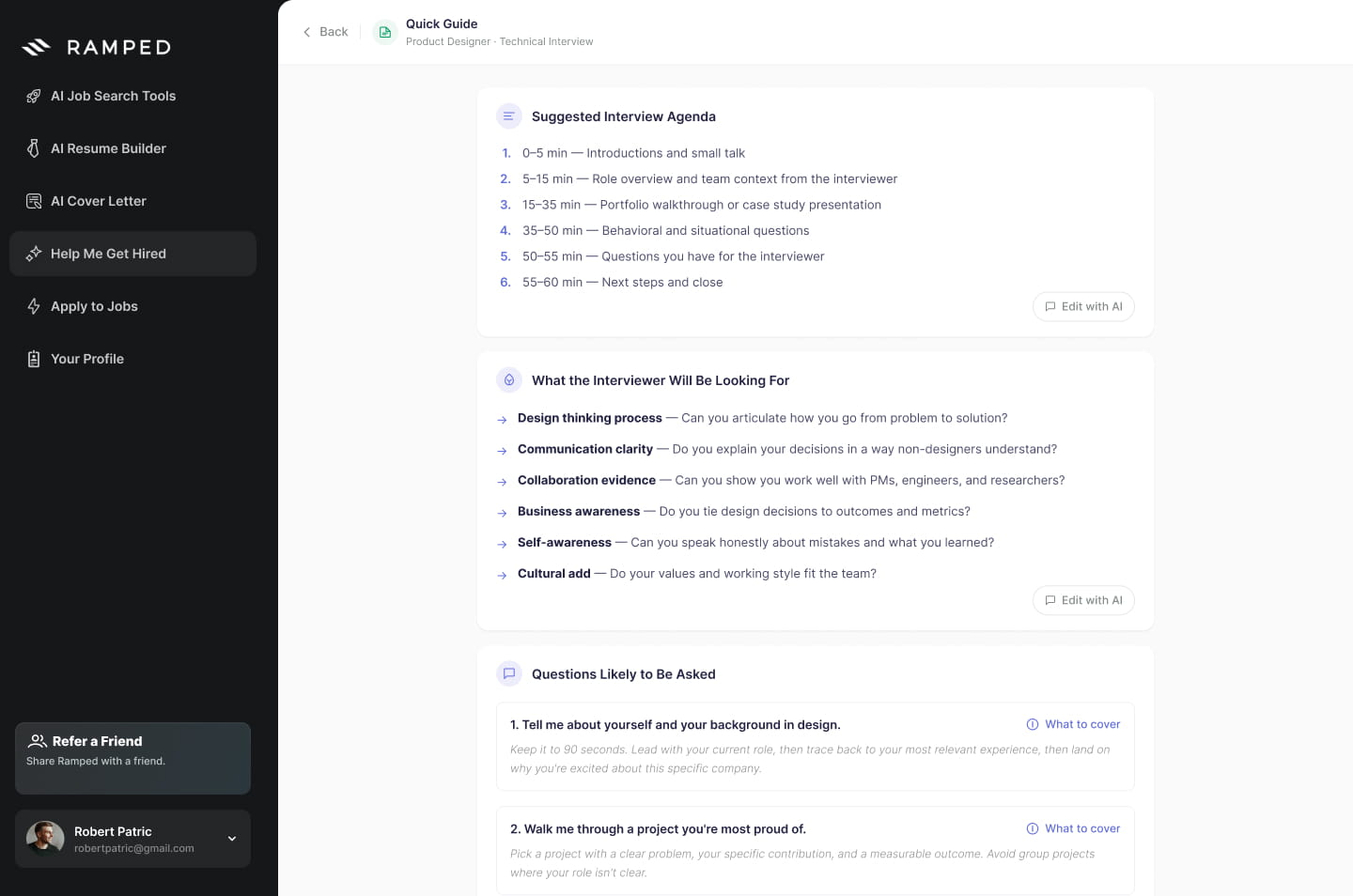
Quick Guide
For users who do not need a complete simulation, the Quick Guide generates a structured preparation document containing:
- A suggested interview agenda.
- What the interviewer may evaluate.
- Likely questions and answer guidance.
- Questions to ask the interviewer.
- A final preparation checklist.
Each section can be refined using Edit with AI, allowing candidates to personalise the generated content.
03C – Solution
From temporary output to saved progress
While designing the final report, I identified another problem:
The generated analysis remained useful after the session ended, but copying and pasting the content was not an effective way to preserve it.
Then I introduced two new options:
01 Download the report as a PDF.
02 Save the session inside Ramped.
The same functionality was then applied to Quick Guides.
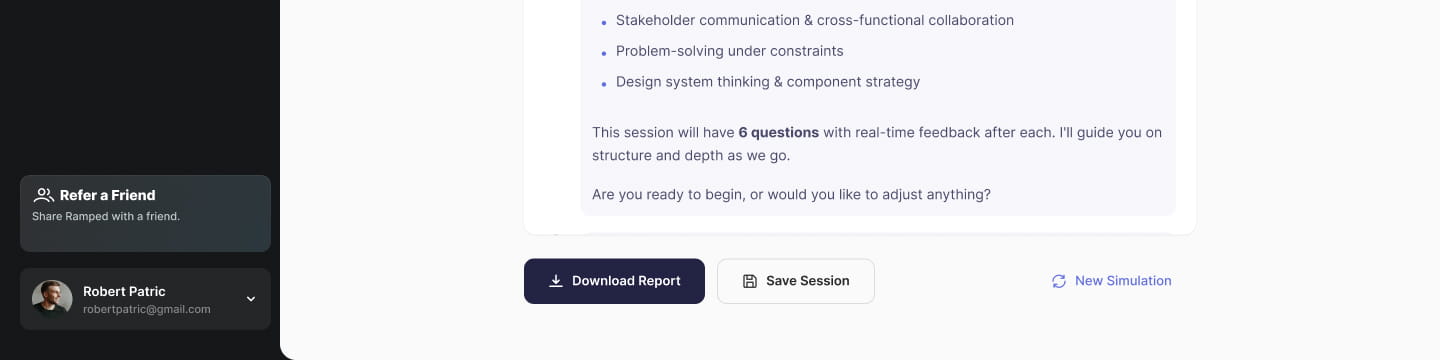
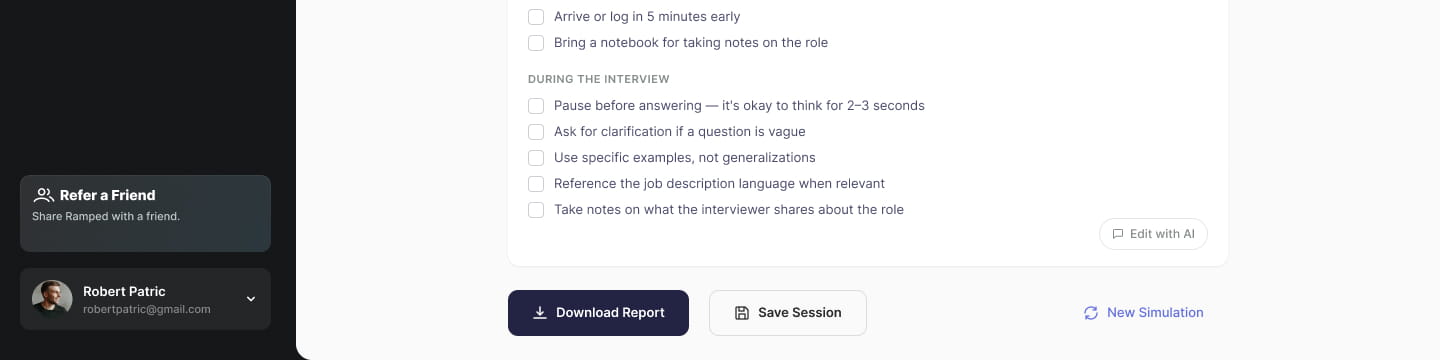
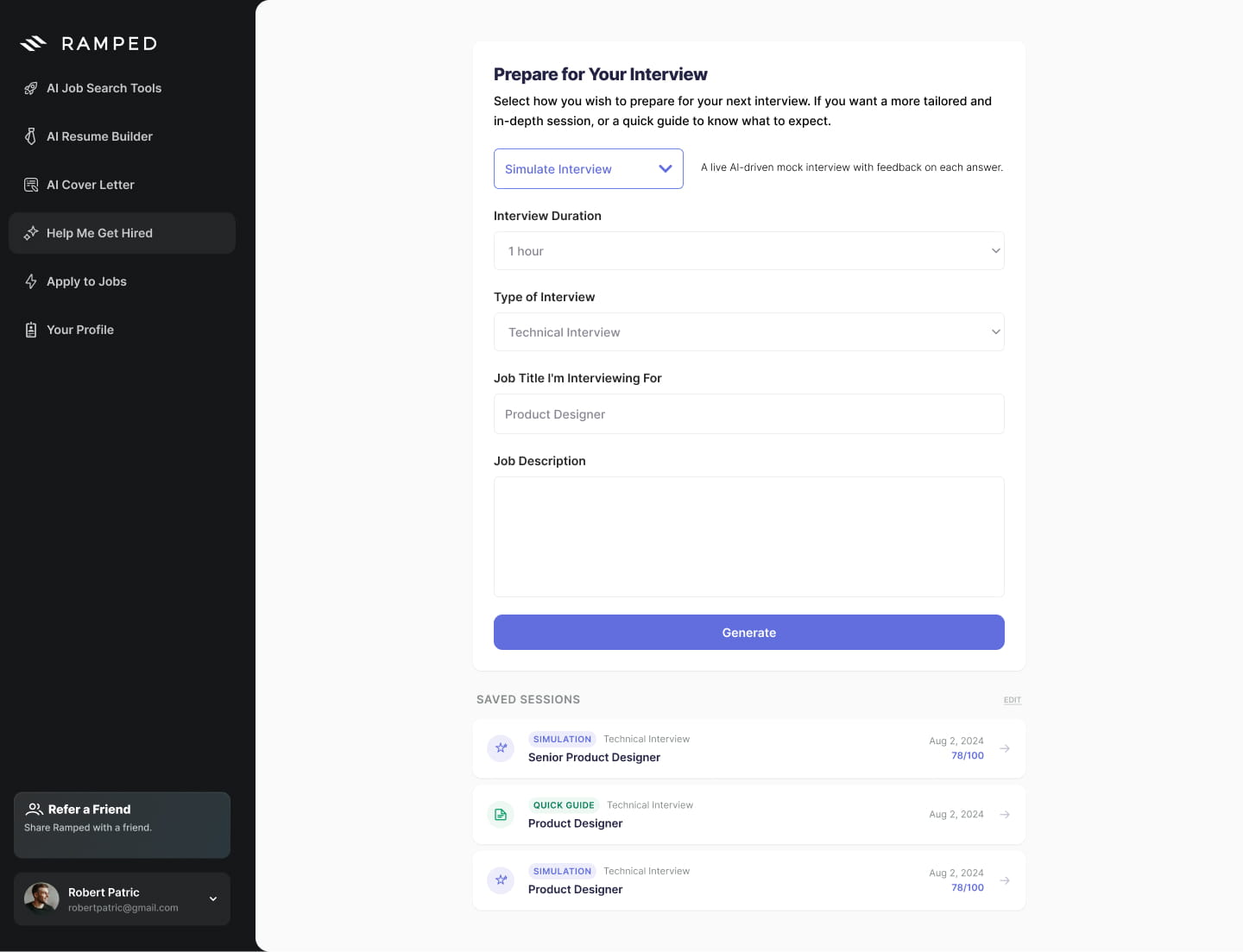
This led to a broader redesign of the preparation homepage, introducing a Saved Sessions area where users could reopen, organise and delete previous simulations and guides
04 – OUTCOME
An active learning experience end interview preparation
The redesign changed the feature from a static content generator into a repeatable coaching experience.
Before
Generate → Read → Memorise
After
Practise → Receive feedback → Retry → Improve
From memorising the right answer
to learning how to build one.

 E-commerce Redesign - for Licor 35